Networking
Kratos runs on a Kratos station: a Kore or Kore S (K SYSTEM Sense), or a NUK (K SYSTEM Flow). All stations run the same operating system, so this tutorial applies to all of them.
Every station comes with at least 2 network cards:
- One card dedicated to the
NaoNetnetwork. - One card or more dedicated to the communication with third party systems, and to connect the station to the Internet.
On a Kore or NUK, the network card dedicated to NaoNet is the 10GbE card named "Aquantia Ethernet".
NaoNet network
NaoNet is the network used by the K SYSTEM framework for the communication between the different Naostage's products. It uses two addressing schemes simultaneously:
192.168.12.xin a/24subnet172.44.x.yin a/16subnet
Every Kore and Kapta has a fixed IP address derived from its serial number. For example :
- the Kapta with the serial number
NS1-XXXX0012has the IP address192.168.12.112/24. - the Kore with the serial number
NS2-XXXX0018has the IP address192.168.12.218/24by default.
Kams use the 172.44.x.y subnet only.
The station's NaoNet card (on a Kore or NUK, the 10 GbE Aquantia card) must be configured with an address on both subnets to reach all devices. A Kore used with a BeaKon system also has a 10.8.4.x address on this card (see BeaKon network).

BeaKon network
To communicate with the anchors of a BeaKon system, one needs to setup the IP address 10.8.4.1/22 to the NaoNet dedicated network card. The anchors need to be connected to the station via this network card.

Change IP addresses
To communicate with third party systems, you may need to add or modify the IP addresses of the station. To do so :
- Click on the icons located on the top right of the taskbar to open the system menu panel. You may need to exit kiosk mode of Kratos by pressing the
Windowskey to reveal the task bar.
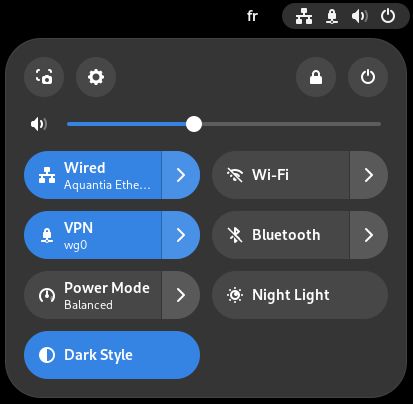
- Click on the cogwheel button to open the Settings. The window openned will display the different network cards present on your system.
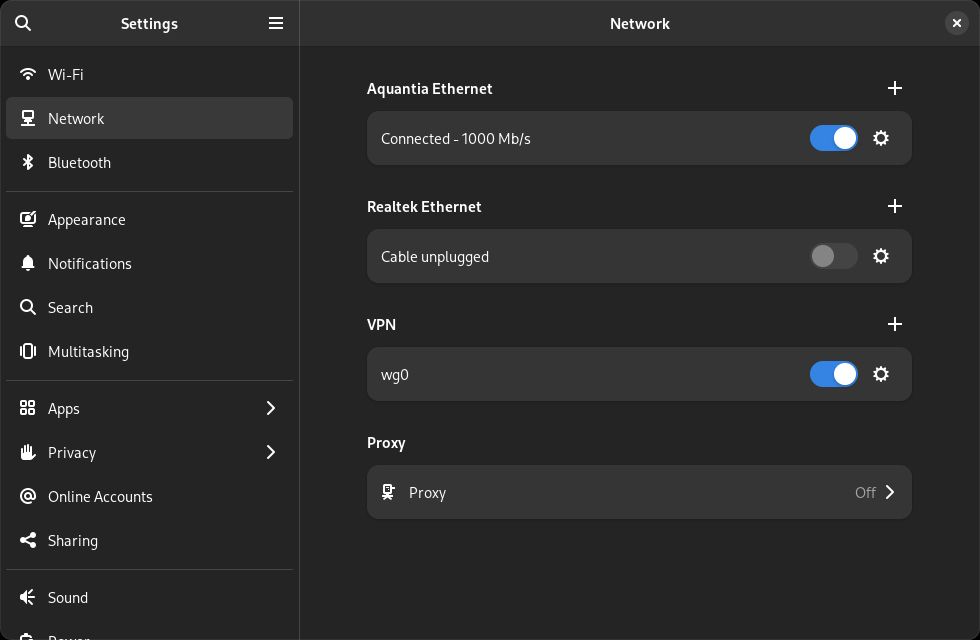
- Click on the cogwheel button of the network card you want to change the parameters.
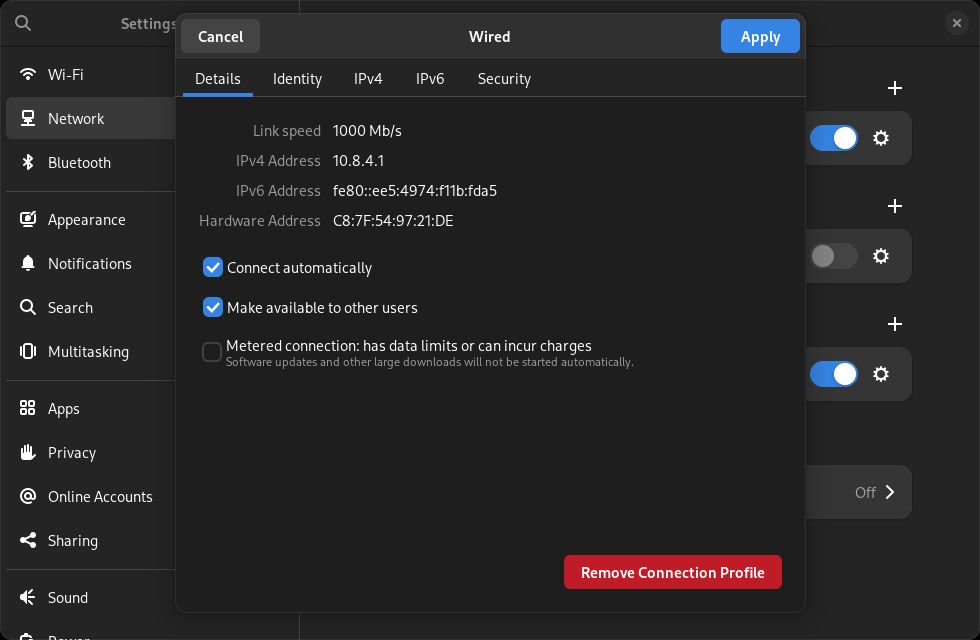
- Go to the
IPv4tab.
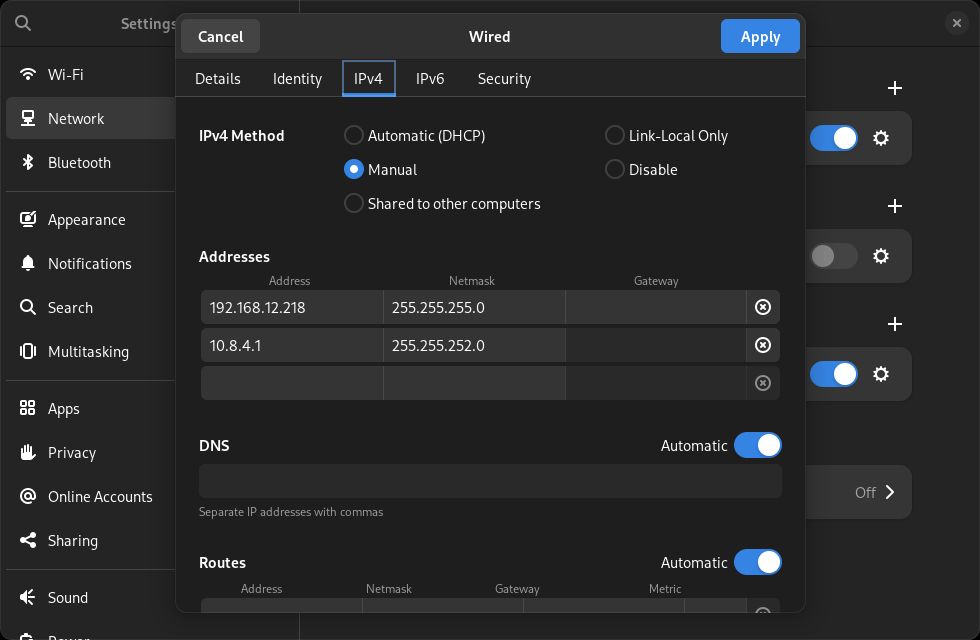
- You can now change the network card configuration :
- Choose
Automatic (DHCP)to connect the card to a DHCP server (to connect the station to the Internet for example). - Choose
Manualto set static IP address(es).
- Choose
- You can then change or delete existing IP addresses or add new ones.
- Once the changes are made, close the window by clicking on the
Applybutton on the top right corner.

- With the dedicated switch, turn off and on the network card for the modifications to be taken into account before closing the Settings window.


Do not forget to turn off and on the network card after any modification.
Otherwise the changes will not be taken into account.
The network card dedicated to the NaoNet network should always have both a 172.44.x.y/16 and a 192.168.12.x/24 IP address.
On a Kore or NUK, it is the Aquantia card.
If you use a BeaKon system, you also need to set up the IP address 10.8.4.1/22 on the card.