Feature Preview
The Feature Preview system lets you opt into pre-release features on a per-show basis. It is used to roll out larger changes gradually so you can adopt them at your own pace.
Preview features are toggled from the Feature Preview tab of the Show Explorer.
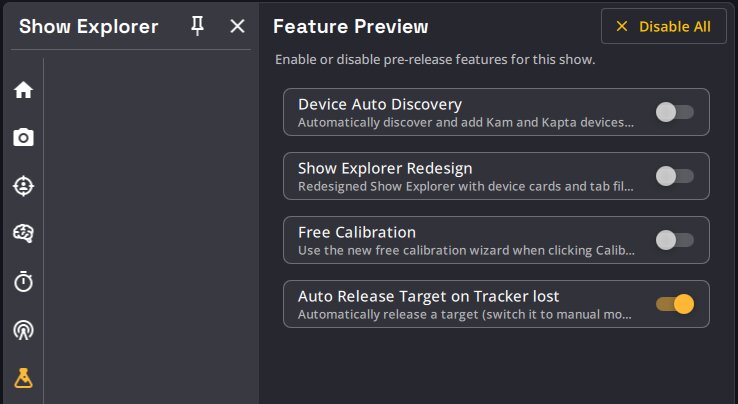
- Each feature is a switch with a short description. Toggling it takes effect immediately and the state is saved in the show file.
- A Disable All button turns every preview off at once, useful as a quick "back to known-good behavior" switch before a show.
Available preview features
| Feature | Default | Description |
|---|---|---|
| Free Calibration | Off | Point-based camera calibration, opened when clicking Calibrate. |
| Auto Release Target on Tracker lost | On | Release a Target (switch it to manual mode) when its assigned Tracker is lost for more than 1 second. |
| Device Auto Discovery | Off | Discover Kam and Kapta devices on the network and show the Calibration Database controls. |
| Show Explorer Redesign | Off | Redesigned Show Explorer with device cards and tab filtering. |