PSN module
PosiStageNet is a open protocol used to send and receive position information on the network. PSN uses a server/client architecture that transmit position information from different trackers connected to the server.
Kratos can send Targets information via PSN using a dedicated Module.
Kratos can also receive PSN information via this module and emulate Tags positions accordingly. This allows you to connect any tracking system to Kratos and use its position information in the Naostage ecosystem.
You can learn more about PSN on the PosiStageNet website.
PSN module specific controls
| Name | Description | Image |
|---|---|---|
| Output Enable toggle | Allows to enable or disable the output of the PSN Module. When enabled, the position of all the Targets are streamed. The PSN ID of each Target is visible at the right of the Target's name in the Target patcher view. |
 |
| PSN server name textfield | You can choose the name of the PSN server the third party system will see when connecting to the Ip address. |  |
| PSN server Ip and port textfields | The PSN protocol is transmitted as UDP multicast at address 236.10.10.10 over the port 56565 by default. You can change theses parameters if needed. | 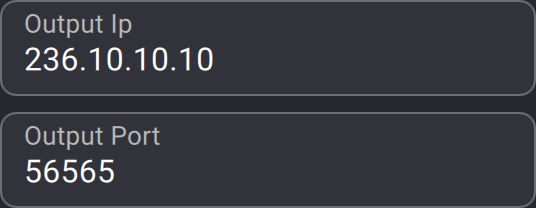 |
| Output Ttl selection | Allows you to change the "Time to live" (hop limit) parameter of the PSN network packets. |  |
| Output data frequency selection | Kratos sends position information via PSN at a frequency of 30 Hz. You can change this parameter if needed. |  |
| Output PSN ID offset | You can offset the Targets PSN ID with this parameter. PSN ID starts at 0 according to the PSN standard. Kratos starts the PSN ID at 1 by default to avoid compatibility issues with certain third-party systems. |
 |
| Only send valid Target toggle | If enabled, Kratos will only send the position of Targets that are patched to a valid Tracker (or to a manual target). |  |
| Input Enable toggle | Allows to enable or disable the input of the PSN Module. When enabled, Kratos will emulate a Tag input for each PSN tracker received. The emulated Tags will be named like this : PSN_{PSN server name}_{PSN tracker ID}. You have to enable the "PSN as Tags" option in the BeaKon tab of the show explorer view. |
 |
| PSN server Ip and port textfields | The PSN protocol is transmitted as UDP multicast at address 236.10.10.10 over the port 56565 by default. You can change theses parameters if needed. | |
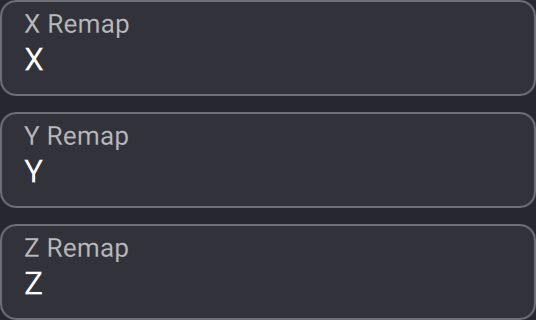
| Axis remapping parameters | By default, Kratos sends and receives PSN position informations according to its coordinate system. You can remap or invert the axis to make them compatible with third party system by writing X, -X, Y, -Y, Z and -Z in the corresponding textfields. |
 |
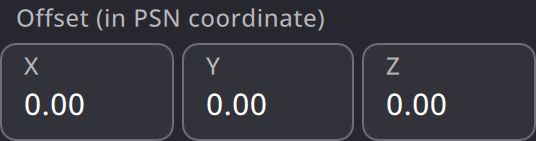
| Origin offset parameters | Allows you to offset Kratos origin from any third party system :
|
 |
Activating the Input and the Ouput of a PSN module with the same Ip and port will create a feedback loop.
Kratos will emulate a Tag for each Target.
You have to enable the "PSN as Tags" option in the BeaKon tab of the show explorer view.